The Complete Guide to ATS-Friendly Resumes in 2026 (Deep Dive)
A comprehensive, 1000+ word deep dive into optimizing your resume for Applicant Tracking Systems in 2026. Learn about parsing algorithms, formatting rules, and semantic matching.

Apply this guide immediately with RESUGROW tools
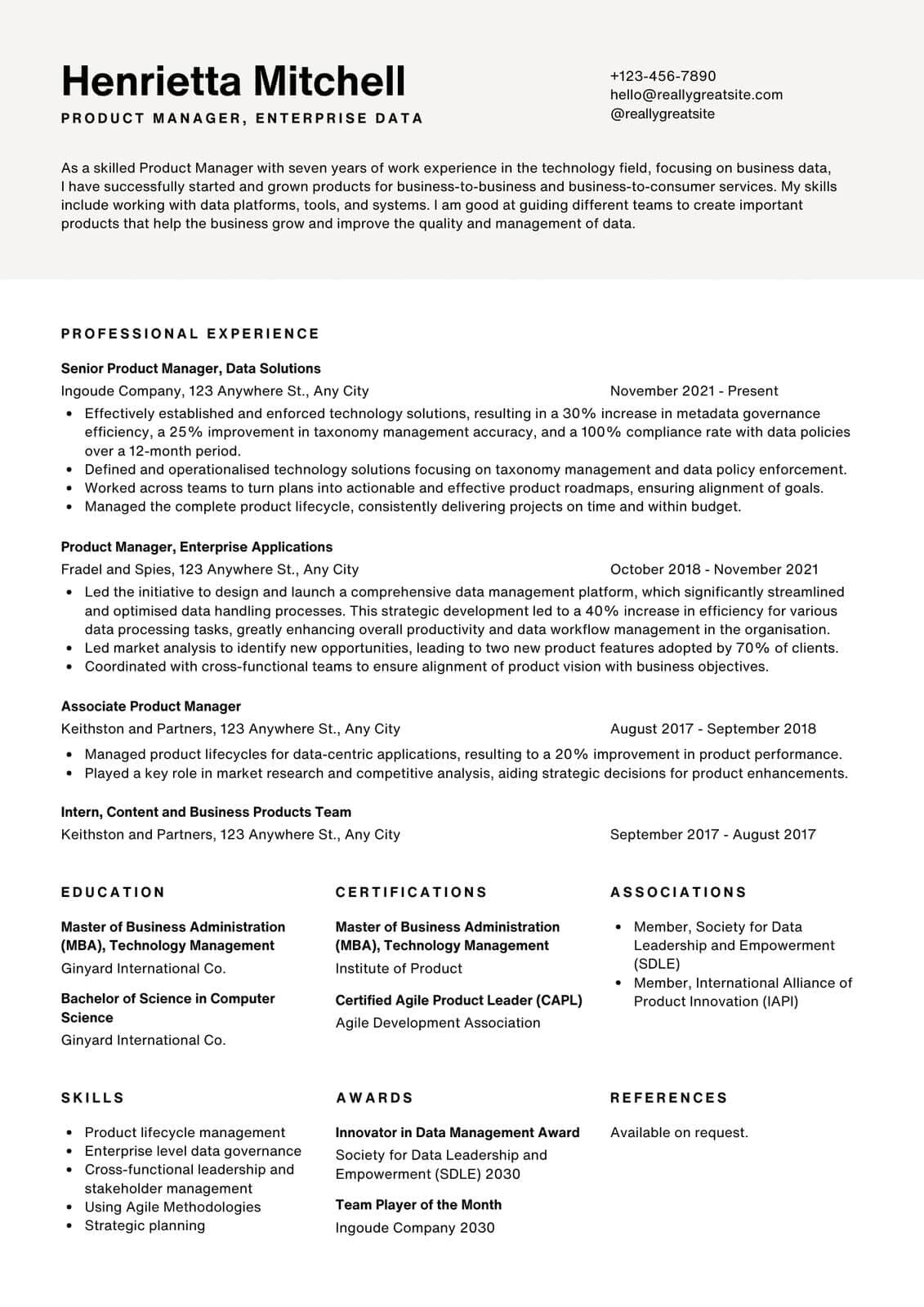
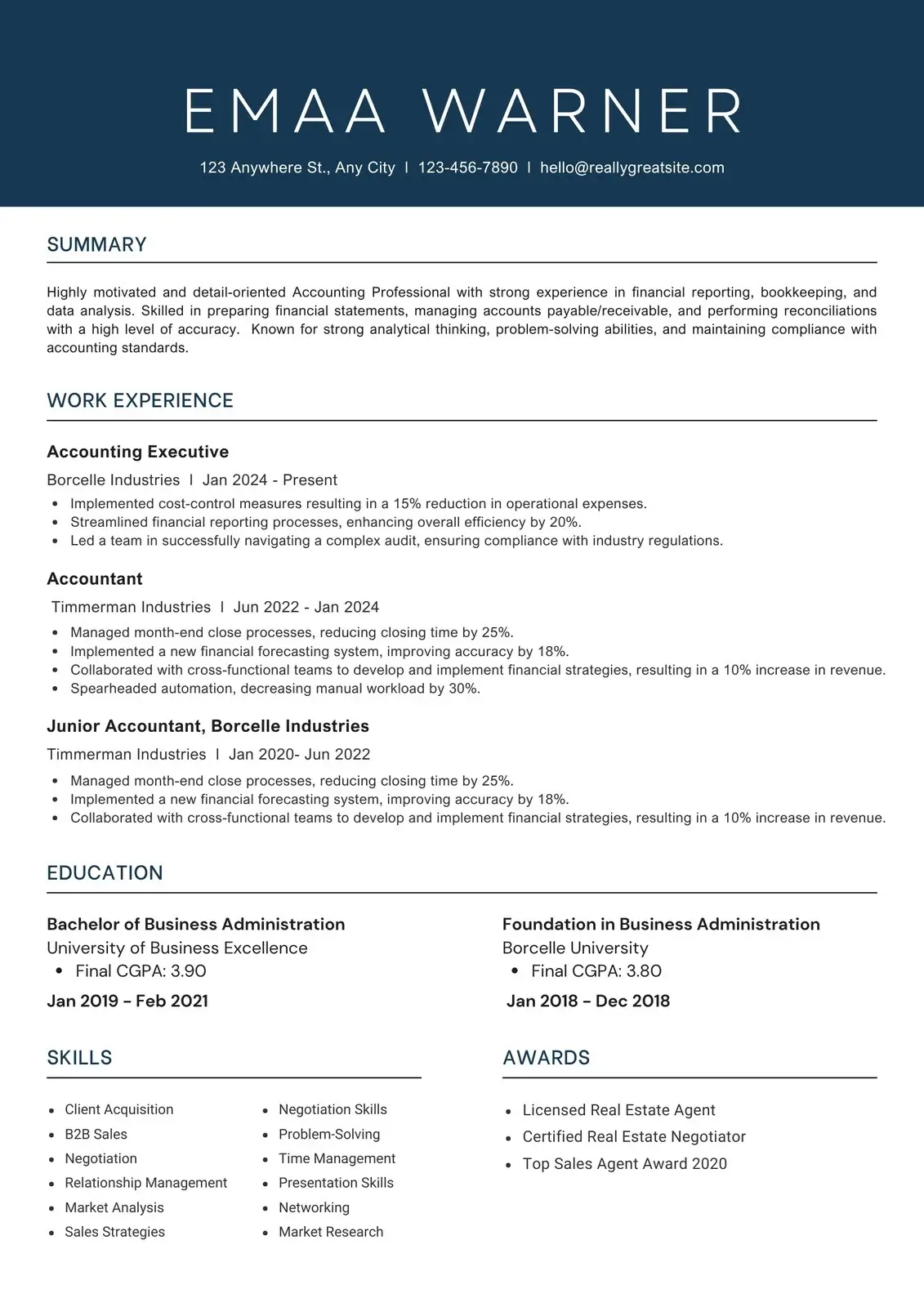
If you are applying to jobs in 2026, you are not just applying to a human hiring manager; you are applying to a machine. Applicant Tracking Systems (ATS) act as the gatekeepers of the modern corporate hiring process. Over 98% of Fortune 500 companies, and increasingly, mid-sized and small startups, use an ATS to filter, rank, and organize incoming applications. Understanding how these systems work is no longer optional—it is the prerequisite to landing an interview.
In this comprehensive, deep-dive guide, we will explore the inner workings of modern ATS platforms like Workday, Greenhouse, Lever, and Taleo. We will break down exactly how their parsing algorithms extract data, the formatting rules you absolutely must follow, and how semantic AI matching has fundamentally changed the game. By the end of this guide, you will have a master blueprint for creating an ATS-proof resume that ranks at the very top of the recruiter’s dashboard.
Section 1: The Evolution of Applicant Tracking Systems
To understand how to beat the ATS today, we must briefly look at how they evolved. Early versions of applicant tracking systems from the late 2000s and 2010s were effectively simple keyword scanners. They would ingest a resume, convert it to raw text, and count how many times specific words from the job description appeared in the document. This led to the era of "keyword stuffing," where candidates would paste a list of invisible, white-text keywords at the bottom of their resumes to trick the system.
By 2026, the landscape has completely transformed. Modern ATS engines are powered by Natural Language Processing (NLP) and semantic matching algorithms. They no longer just count words; they understand the context in which words are used. They can distinguish between "managed a team of software engineers" and "used engineering software." They understand synonyms, skill adjacencies, and career trajectories.
The introduction of LLM-based parsing (Large Language Models) means that tricking the system is no longer possible. The only way to win is to present high-quality, relevant data in a format the machine can effortlessly digest.
Section 2: The Parsing Process Explained
When you hit "Submit" on a job application, your resume goes through a multi-step parsing process. Understanding this process will explain why certain formatting choices are fatal to your application.
### Step 1: Ingestion and Conversion The ATS takes your file (PDF or DOCX) and strips away all formatting to convert it into raw text. This is why complex formatting fails. If you use text boxes, columns, or embedded images, the parser cannot determine the reading order. A two-column resume might be read straight across from left to right, completely scrambling your work history.
### Step 2: Entity Recognition Once the text is extracted, the ATS uses entity recognition models to identify specific categories of information. It looks for your name, contact information, job titles, company names, dates of employment, and educational institutions. It relies on standard section headings (like "Work Experience" or "Education") to map this data to the correct fields in the database.
### Step 3: Semantic Scoring After organizing the data, the ATS compares your profile against the parsed job description. It generates a "Match Score" or "Fit Score" (usually a percentage) based on the overlap of skills, years of experience, and required qualifications. Candidates with a score below a certain threshold are often automatically categorized as low-priority or filtered out completely.
Section 3: The Unbreakable Rules of ATS Formatting
To ensure your resume passes through the parsing process flawlessly, you must adhere to strict formatting rules. While a heavily designed resume might look beautiful to a human, it looks like a garbled mess of characters to an ATS.
### 1. Stick to a Single-Column Layout The golden rule of ATS optimization is the single-column layout. Parsers read left to right, top to bottom. Multi-column layouts disrupt this natural flow. If you have your dates in a left-hand column and your job descriptions in a right-hand column, the parser may associate the wrong dates with the wrong jobs. Stick to a clean, traditional, top-to-bottom flow.
### 2. Use Standard Section Headings Do not get creative with your section titles. The ATS looks for specific strings to know where one section ends and another begins. * Use: "Work Experience", "Education", "Skills", "Professional Summary" * Do Not Use: "Where I've Been", "My Journey", "Academic Triumphs", "What I Bring to the Table" If you use non-standard headings, the ATS may lump your entire work history into your summary section, resulting in a zero-year experience calculation.
### 3. Avoid Headers, Footers, and Text Boxes Information placed in the header or footer of a Word document is often completely ignored by the ATS parser. If your contact information is in the header, the recruiter may receive a blank profile. Similarly, text boxes float above the standard text layer in a document; the parser will simply skip over them, erasing whatever valuable information you placed inside.
### 4. Use Standard Fonts and Bullet Points Use standard, web-safe fonts like Arial, Calibri, Times New Roman, Garamond, or Helvetica. These fonts map perfectly to ATS optical character recognition (OCR). For bullet points, stick to the standard solid circle or square. Custom bullet points (like checkmarks, arrows, or custom icons) can be converted into random characters (like "??" or "??") during the parsing process.
### 5. Date Formatting Matters The ATS calculates your total years of experience by analyzing your employment dates. Be incredibly clear and consistent. The best format is Month Year – Month Year (e.g., "Jan 2022 – Present" or "01/2022 – 12/2025"). If you only use years (e.g., "2022 – 2023"), the ATS might calculate that as zero years (December 2022 to January 2023) or two full years. Avoid ambiguity.
Section 4: Mastering Semantic Keyword Optimization
Formatting ensures the ATS can read your resume; keyword optimization ensures you actually score high enough to be seen. But in 2026, keyword optimization requires strategy, not just repetition.
### Hard Skills vs. Soft Skills ATS algorithms heavily weight "hard skills" (specific tools, methodologies, programming languages, software, certifications) over "soft skills" (leadership, communication, teamwork). When analyzing a job description, identify the mandatory hard skills and ensure they appear exactly as written.
### Contextual Placement Do not just dump a list of 50 skills at the bottom of your resume. Modern ATS platforms score higher when a keyword is found in the context of an achievement. * *Weak Placement:* A "Skills" section listing "Salesforce, Agile, Python." * *Strong Placement:* A bullet point reading: "Led an Agile engineering pod to integrate Salesforce APIs via Python, reducing data synchronization latency by 45%." This proves to the semantic engine that you didn't just study the tool; you applied it to drive business value.
### The Exact Match Rule While semantic AI is getting smarter at recognizing synonyms, it is always safer to use the exact phrasing from the job description. If the job description asks for "Customer Relationship Management," use that exact phrase at least once, even if you normally write "CRM." Using both the acronym and the spelled-out version guarantees a match regardless of how the recruiter configured the search filter.
Section 5: The Human Element After the Machine
It is crucial to remember that the ATS is only the *first* hurdle. Once you achieve a high match score, a human recruiter will open your resume. This is where many overly-optimized resumes fail. If your resume reads like a robotic list of disjointed keywords designed purely for a machine, the human recruiter will reject it.
Your resume must be dual-optimized: structured cleanly for the machine, but written persuasively for the human.
### The Role of Metrics and Impact Machines look for keywords; humans look for impact. Every bullet point should ideally follow the Action + Context + Result formula. * "Designed a new onboarding flow (Action) for the mobile application (Context), which increased user retention by 22% in Q3 (Result)." Metrics provide scale. They tell the recruiter whether you were managing a $1,000 budget or a $1,000,000 budget.
### White Space and Readability A human recruiter spends an average of 7 seconds scanning a resume. They need to digest your value proposition instantly. Use generous margins, clear bolding for job titles, and concise bullet points (no more than 2 lines per bullet). Dense walls of text will deter a human reader, even if the ATS loved it.
Conclusion: A System for Success
Beating the ATS in 2026 does not require inside connections or secret hacking tools. It requires discipline, clarity, and an understanding of the rules of the game.
Start by stripping your resume of complex formatting. Rebuild it using a clean, single-column structure. Analyze the job description for core hard skills, and weave those skills naturally into your impact-driven bullet points. Double-check your date formatting, and save the final document as a standard PDF.
By respecting the constraints of the Applicant Tracking System, you ensure that your actual qualifications—your hard work, your expertise, and your potential—make it to the desk of the hiring manager. Stop letting bad formatting block your career growth. Optimize your resume, master the system, and start landing the interviews you deserve.
Ready to improve your score?


